How do I use Ticket Poster?
- Open the dashboard and upload your Linear CSV file.
- Choose your year, status, orientation, and style options.
- Check the preview to validate title, colors, and ticket distribution.
- Download the final poster as JPG or PDF for print.
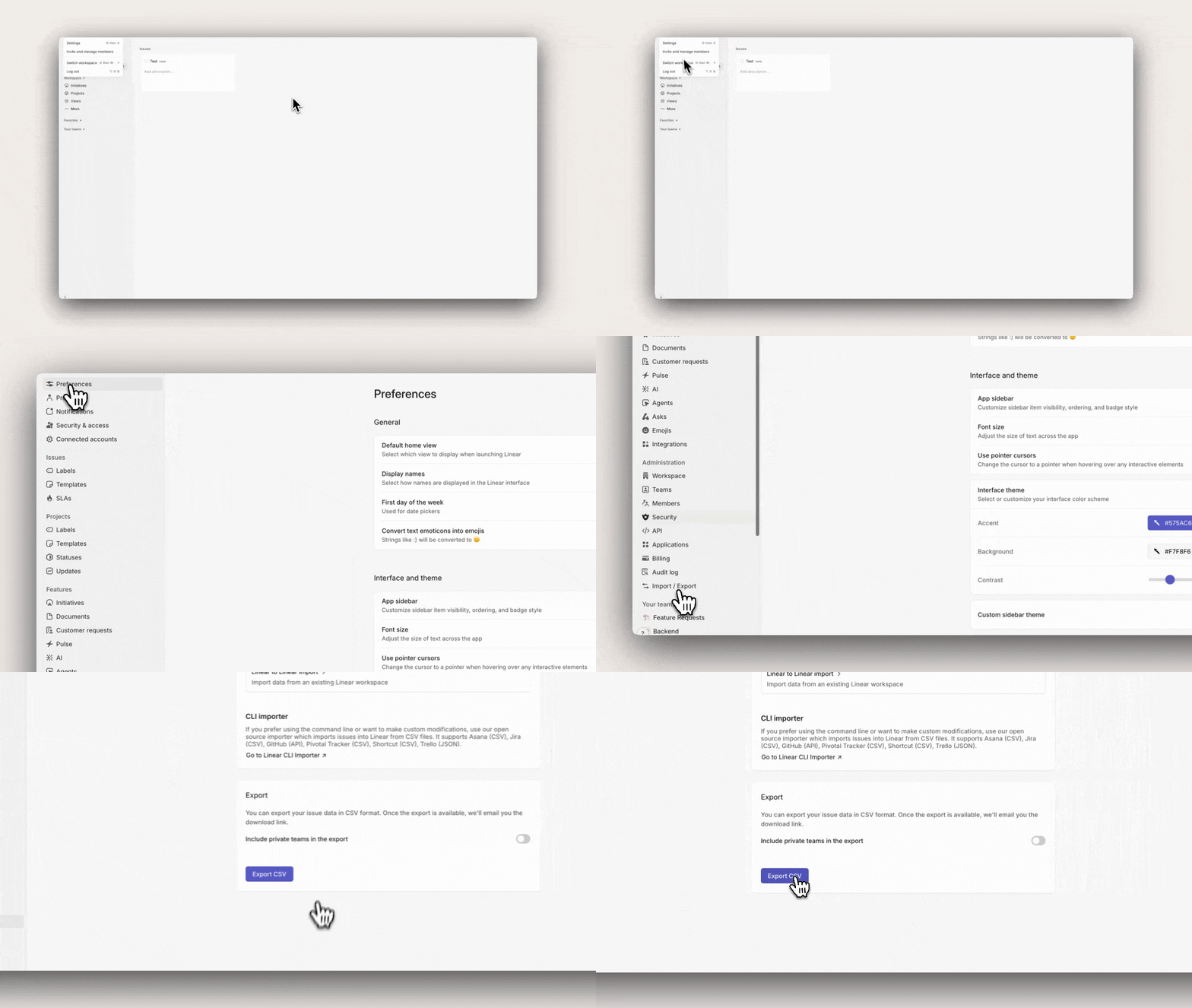
How do I export a CSV from Linear?
- Open Linear, click on your company logo in the top left and go to settings
- Find the "Import/Export" section
- Click into the Export CSV CTA
- Wait a few min for the export (you will receive an email when it's ready)
How do I export a CSV from Notion?
- Open the database you want to export (Table, Board, or List view).
- Click the top-right menu ("...") and choose Export.
- Select CSV as the format, then confirm Export.
- Download the file and upload it in Ticket Poster.
How do I export a CSV from Jira?
- Open Jira Issue Navigator (search/list view) from your project or filter.
- Apply the filters you need (project, status, assignee, date range).
- Use Export in the top-right and choose CSV (all fields or current fields).
- Download the CSV and upload it in Ticket Poster.
How do I export a CSV from Trello?
- Open the Trello board you want to export.
- Open the board menu, then go to More > Print and export.
- Choose Export as CSV when available for your workspace plan.
- If CSV is unavailable, ask an admin or export JSON and convert it to CSV, then upload to Ticket Poster.
What should I do if import fails?
- Make sure the file is a CSV exported directly from Linear.
- Re-export after applying simple filters and no custom formatting.
- Try again with a fresh export from the same issues view.